

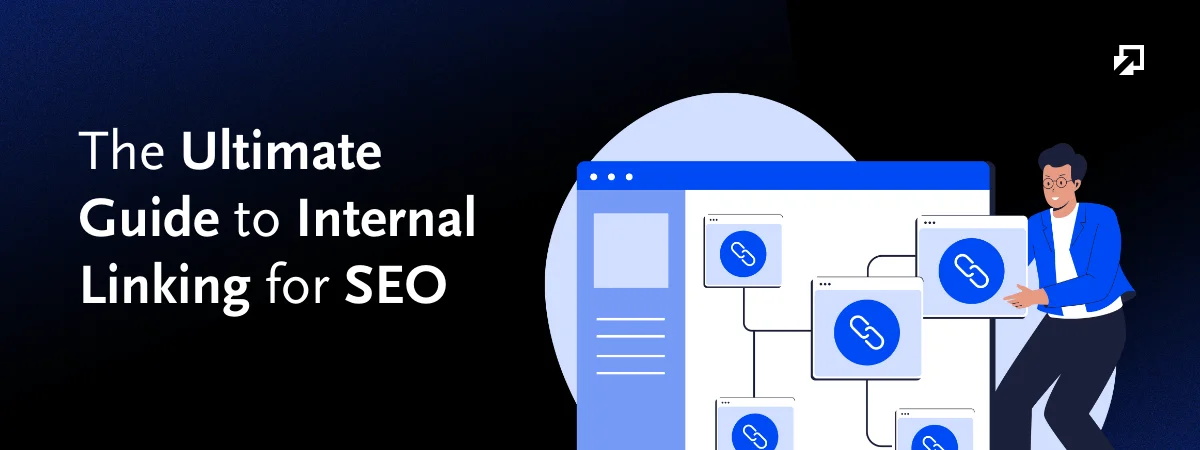
Internal linking is still quite an underrated SEO strategy. People are not using its power the way they should. I mean, it is such a great tactic to smoothen the navigation and crawlability of any website. And you guys are still just doing it like it’s a formality. A well-planned internal linking structure can supercharge your search rankings. How so? Well, you’re about to find that out. Here’s your complete guide to internal linking your webpages.
Key Takeaways!
- A Professional SEO Agency know how important internal linking is for on-page SEO optimization.
- There are different types of internal links, each having its own purpose. Contextual links within content are most valuable.
- Regular audits prevent broken links, orphan pages, and poor anchor text, ensuring your internal linking strategy stays optimized.
What is Internal Linking in SEO?
Internal linking in SEO is the practice of linking one page of a website to another page on the same domain. It helps search engines crawl and index content, understand page relationships, and distribute link equity. Internal linking also improves user navigation and overall website structure.
Key Functions of Internal Linking:
- User Experience: Helps visitors easily find related content. Internal linking encourages them to stay longer on your website.
- Site Structure: Organizes your pages in a clear way so search engines can understand how everything is connected.
- Link Equity Distribution: Shares SEO value from strong pages (like the homepage) to other important pages, helping them rank better.
- Content Discovery: Makes it easier for search engines to find and index all your key pages.
- Context & Relevance: Internal linking improves site relevance. Clear anchor text tells search engines what the linked page is about.
Some Basic Examples of Internal Linking
- Adding a link in keyword research blog that takes readers to a related article on on-page SEO
- Internal linking a product page in a relevant guide blog published on your site
- Main navigation menu has links to About Us, Services, and Contact pages
Why is Internal Linking Important?
Internal linking is an important component of On-Page SEO. It helps both the search engines and users understand your website structure. It distributes link equity across pages to improve site navigation. As a result, it improves rankings for important content and reduces bounce rates.
Important Note!
Internal linking guides visitors to relevant helpful information and so, improves overall SEO performance.
What are the Types of SEO Internal Links?
There are several types of SEO internal links. These include contextual links that are placed within the main content. Navigational links are in menus, headers, or footers. Breadcrumbs are links that show the user’s location within the site hierarchy. And related content links connect similar articles or posts. Each type boosts SEO and user experience.
Key Types of Website Internal Linking
Internal links can take several forms. Each of them has a specific purpose in improving SEO and user experience. Here is how these types help you structure your site more effectively.
Contextual Links
These are links placed naturally within the body of your content. For example, in a blog about “Internal Linking,” you might link to another post or main service page about “On-Page SEO.” Contextual links are highly valuable because they provide relevant connections. Both users and search engines find them useful.
Navigational Links
These links appear in menus, headers, footers, or sidebars. They help users navigate your website easily. Examples include links to About, Services, Contact, or main category pages. Navigational links also guide search engines to your most important pages.
Breadcrumb Links
These links are called breadcrumbs because they act as small hints that reveal the whole navigation bath. Breadcrumbs show the path a user takes within your site hierarchy. For instance, Home > Blog > SEO Tips. They give search engines a clearer understanding of your site structure. You can say they act like a trust signal to Google and other search engines.
Related Content Links
These links connect pages or posts that cover similar topics. They are mostly found at the end of articles. For example, a blog on “SEO Mistakes” might link to “SEO Checklist for Beginners.” Related content links encourage users to explore more pages. As a result, it increases engagement and session duration.
Footer and Utility Links
These are links in the footer or utility sections, such as legal pages, privacy policies, or popular categories. They are not always contextually relevant. But they help search engines crawl all pages and improve overall site structure.
Image Links
You should know that website images have links too. Image links are clickable pictures that direct users to other pages, blog posts, or product listings. They offer a visually engaging way to navigate your website. When combined with descriptive alt text, they contribute positively to SEO performance.
Sidebar Links
To provide quick access to important pages, categories, or CTA buttons, sidebar links are placed. They help visitors explore your site more easily. Links in the sidebar improve pageviews and guide users toward relevant information on your site.
In-Content CTA Links
Call-to-Action links are hyperlinks placed within your text. They encourage readers to take specific actions. This can be subscribing to a newsletter, downloading a guide, or visiting a product page. They combine SEO benefits with conversion goals. Resultantly, they drive engagement and measurable results.
The best SEO internal linking practice is to combine all these links strategically. This way, you can create a strong internal linking network that boosts SEO.
Are Internal Links Important for Ranking in AI Overviews?
Internal linking matters for visibility in AI-generated overviews. This is because they help generative AI systems understand how your content is connected and which pages are authoritative. Clear internal link structures with relevant anchor text increase the chances that AI tools will surface and cite your content in summaries and answers.
As AI search gets smarter, good internal linking becomes more and more important. It shows how your pages and topics are connected. This helps AI understand your website better and makes it more likely that the most relevant content will show up in search results.
Are Internal Links Important for LLM SEO?
For LLM SEO, internal links is also an important aspect. They signal relationships between topics and highlight core content. Because of them, large language models recognize your site’s hierarchy and relevance. Well-structured links reinforce topic clusters, which can increase inclusion in LLM-driven results.
How many internal links should a page have?
There is no fixed number or a strict rule for internal linking. But a page should include enough internal links to help users and search engines navigate naturally. In general, 5–10 relevant internal links work well on a product page. Blog pages should have 3-5 internal links for every 1000 words. Make sure the links add value to your page.
What is the most important type of internal links?
Contextual internal links are the most important. This s because they appear within the main content and connect related topics naturally. They help search engines understand relevance, pass link equity effectively, and guide users to useful information. As a result, they improve both rankings and engagement.
What are the common internal linking issues?
Common internal linking issues include broken links, orphan pages with no internal links, overusing or underusing links, poor anchor text, linking to irrelevant pages, and deep pages buried too far from the homepage. These problems reduce crawlability and confuse search engines. These also harm user experience and limit the SEO value of your internal linking structure.
What are Broken Internal Links?
Broken internal links are links that point to pages on your website that no longer exist or return errors like 404. They disrupt user navigation, prevent search engines from crawling pages properly, waste crawl budget, and negatively impact user experience and SEO performance.
What are Orphan Pages?
Orphan pages are pages on a website that have no internal links pointing to them from other pages. Because they are isolated, search engines may struggle to discover and index them, and users cannot easily find them, reducing their visibility, traffic potential, and SEO value.
What is an Internal Redirect?
An internal redirect happens when a URL on your own website automatically sends visitors and search engines to a different URL on the same domain instead of loading the original page. It’s used when pages are moved or URLs change to avoid broken links. But too many redirects can slow crawling and dilute SEO value. So, make sure you add them only where needed.
Key Details About Internal Redirects
- Purpose: Internal redirects send users and search engines to the correct, updated page when a URL changes. It helps avoid 404 errors during website updates or migrations.
- Types: A 301 redirect is used for permanent page moves and passes SEO value. A 302 redirect is for temporary changes.
- Implementation: Redirects are usually set up on the server (301 or 302. In some cases, they can also be handled using JavaScript on the page.
How to fix internal linking issues?
Regular SEO Audit really necessary to identify and fix internal linking issues. It helps you find broken links, orphan pages, and excessive or irrelevant links. Also, use clear, descriptive anchor text, add links to important but hard-to-find pages. With a logical site structure with proper navigation. Updating and maintaining links boosts SEO and user experience.
How to know if your internal links are efficient?
You can know if your internal links are efficient by checking if important pages are easily reachable. Tools like Google Search Console, Screaming Frog, or Ahrefs can identify issues related to your website’s internal linking.
Here are a few steps to follow to know if the internal links in your site are doing their job:
Analyze Crawlability
Use SEO tools like Google Search Console, Screaming Frog, or Ahrefs to see if search engines can crawl and index all your pages. Pages that are hard to reach or not being crawled may need more internal links pointing to them. It also helps you identify any broken links, etc.
Check Link Distribution
Important pages should receive more internal links. Here, we’re talking about pillar content or high-converting pages. If some key pages have few or no links, they are being underutilized. As a result, this limits their SEO potential.
Review Anchor Text
Efficient internal links use descriptive, relevant anchor text. Generic phrases like “click here” or “read more” don’t provide context to users or search engines. Ensure anchors accurately describe the linked page.
Monitor User Engagement
Track metrics like average session duration, pages per session, and bounce rate in Google Analytics. All these are quite important in assessing the internal linking performance and placement of your site. Well-placed internal links encourage users to explore more pages. This would increase engagement too.
Identify Orphan and Broken Pages
This is a part of the site audit step. You should continuously check for orphan pages and broken links. After all, they keep hurting the rest of your SEO services. Fix them and add intentional internal links to orphan pages.
Audit Regularly
This step is really really crucial. You should know that internal linking is not a one-time task. You have to keep monitoring and updating it. Audits help you identify gaps and update outdated links. All in all, regular SEO audits ensure your link structure remains optimized as your website grows.
What is the difference between internal links and external links?
External links point to pages on other websites. Their purpose is to provide additional resources and build credibility. External links can also be potentially used to earn backlinks. Internal links strengthen site structure. Meanwhile, external links enhance authority and relevance in search engines.
Key Differences Between Internal and External Links
- Destination: Internal links keep you on your own website. External links direct users to a completely different website.
- Purpose: Internal links help organize your site and improve engagement. External links enhance credibility and provide references for readers.
- Control: You fully control internal links, including anchor text and target pages. External links are outside your control, so the linked page could change or be removed at any time.
Internal link should be a part of your 2026 On-Page SEO checklist. After all, it is the easiest way to get your most valuable pages seen. Whether it’s a product page or a service page, the right internal linking always pays off.
Conclusion
Internal linking is a simple yet powerful SEO strategy. It boosts your site visibility in the most surprising ways. Well-placed links distribute SEO value and guide users to important pages. Regular audits keep links healthy and effective. Plus, make sure your site has different link types for a strong internal linking network. AI and LLMs increasingly rely on clear site structure so make sure you follow only best practices.